
When to Define Access Controls
It’s that time of year when employees submit vacation requests. Will you allow them to take their work computer on vacation? There are two clear reasons not to let their work bag travel with them. Vacations are for rest, relaxation, and time with friends and family. Second, a work computer undoubtedly contains sensitive information. A leak of sensitive information, in or out, could be catastrophic to your organization.
What are Access Controls?
Access controls are security measures or ‘boundaries’ that regulate who can access specific resources, such as data, systems, or physical locations, what actions they can perform when they have access, and where they can access. “Good access control rules around your tenant” specifically means that your organization must limit “who can access the account, from where, and from what device.”
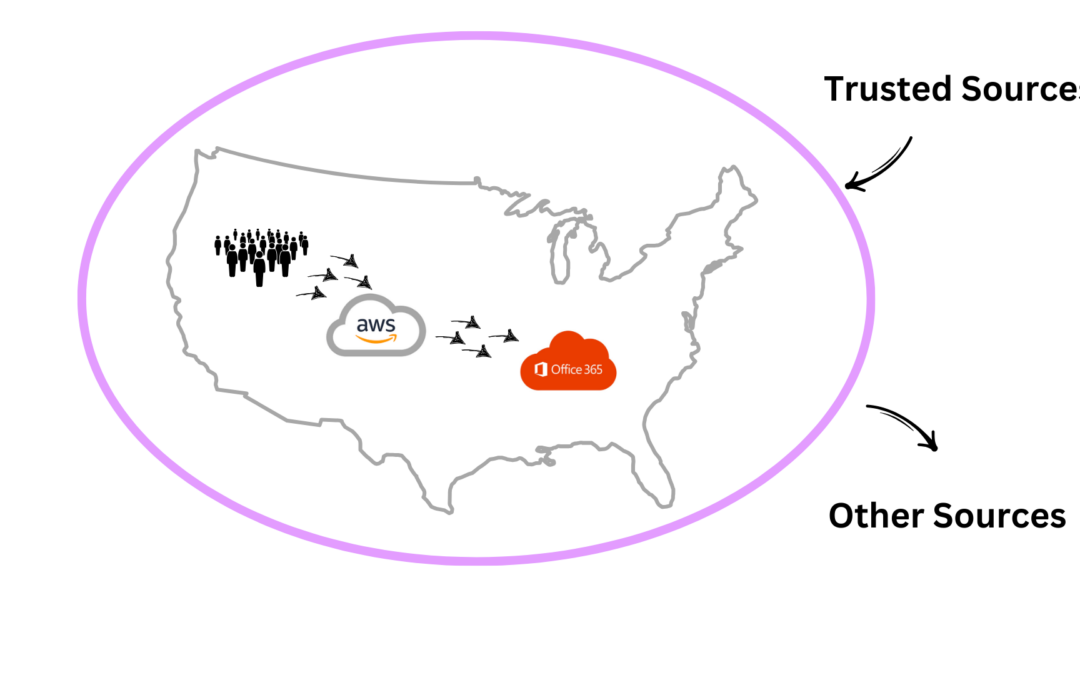
As the illustration shows, access controls can limit access to specific machines and even to allowed business hours. So, if a bad actor tries to access critical systems from outside the normal business geography (e.g., outside the U.S.) or during odd hours (e.g., 2:00 a.m.), access would be blocked. This type of control protects sensitive data if credentials are compromised.
Define where company employees access systems, from what machines, and during what times of day. If employees work outside these controls, develop a process for requesting temporary access (for example, working from the beach) and set start and end times to remove access in these temporary situations.
Why Access Controls?
Reducing the attack surface: Limiting access to systems and data reduces the potential attack surface for cybercriminals. Even if a malicious actor steals login credentials, access controls can still prevent them from compromising systems.
There is a lot at stake in addition to protecting sensitive data. Access controls ensure only authorized users can access sensitive information. While Black Bottle IT focuses on cybersecurity and reducing the potential for a cyber incident, limiting geography, machines, and time can also reduce the risk of human error that causes data loss.
Three Reasons Why Access Controls Are Fundamental
Compliance requirements: Many industries have strict regulations governing the protection of sensitive data, such as HIPAA in healthcare or GDPR in the European Union. Implementing access controls helps organizations comply with these regulations by showing they have measures in place to safeguard data.
Detecting and responding to security incidents: Access controls can also help detect and respond to security incidents. By logging access attempts and monitoring user behavior, organizations can identify suspicious activity and respond promptly to potential threats.
Maintaining business continuity: Cybersecurity incidents can disrupt operations and cause significant financial losses. Access controls help maintain business continuity by minimizing the impact of security breaches and protecting critical systems and data.
What Your Organization Must Do to Protect Company Data
- Heighten Cybersecurity Awareness & Phishing Training
- Enforce Access Controls around all cloud-based tools, i.e., AWS, Google Workspace, QuickBooks Online, Microsoft Office 365
- Lock down the Administrative Account to a specific IP address
- Monitor Tenants 24×7 — multiple organizations or individuals, referred to as “tenants,” share the same computing infrastructure, resources, and services
- Continuous monitoring is crucial for promptly detecting and responding to security threats and incidents as they occur, minimizing the potential impact on tenants’ data and systems.
Remember: Stronger cybersecurity controls, like access controls, don’t prevent a cybercriminal from gaining access indefinitely, but they make it harder.
Everyone deserves a vacation. We have you covered. Contact us today for more information and how to get started with access controls.